
Structured source records
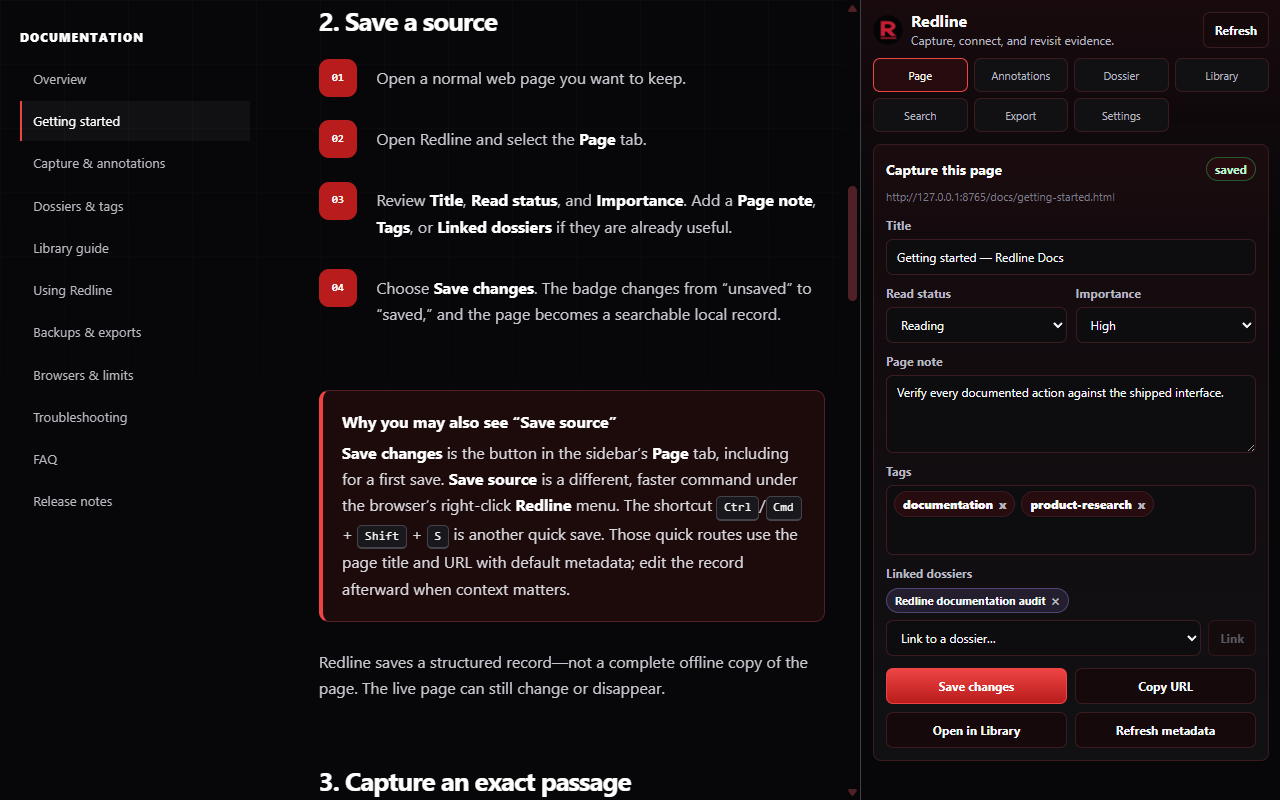
Save a page with its title, URL, note, tags, read status, importance, and linked dossiers. You can also migrate browser bookmarks into Pages and dossiers from Chrome-family HTML exports or Firefox Bookmark Backup JSON.
Local-first research for the open web
Save sources, capture exact passages, compile claims with supporting and challenging evidence, and export a portable library—without a Redline account or cloud sync.
More than a bookmark
Redline keeps the source beside the thought: what you read, the exact passage that mattered, and what you planned to do with it.
Save a page with its title, URL, note, tags, read status, importance, and linked dossiers. You can also migrate browser bookmarks into Pages and dossiers from Chrome-family HTML exports or Firefox Bookmark Backup JSON.
Capture selected text as a highlight, claim, quote, source evidence, follow-up, to-do, question, or warning.
Group material around a case or question while using tags to classify themes across your library.
Create dossier claims, attach exact passages, review supporting and challenging evidence, and keep deterministic evidence gaps visible.
Search saved titles, URLs, notes, annotations, dossiers, tags, source domains, claims, and conclusions without a hosted index.
Revisit saved passages when the page still matches. The library keeps the record even when a changed page needs review.
Create an importable All data JSON export, or produce Markdown, CSV, XML, BibTeX, RIS, CSL JSON, EndNote XML, and more.
A simple loop
Capture while the context is fresh, then refine the record when you return to your library.
Turn the active page or a link into a structured local source record.
Select the exact language that supports a claim, question, or next step.
Connect passages to a dossier claim, review challenges, and record a conclusion.
Create a backup or carry the complete claim-to-source trail into a focused research pack.
Product tour
Follow the complete research workflow, from capturing source material to building an organized, portable evidence trail.
Inside Redline
Explore representative Redline workflows using illustrative sample content.
Privacy model
Redline’s current release has no account system, hosted sync, analytics, advertising, or Redline server.
Read the privacy policyDocumentation
Use the quick start for your first source, or go straight to backups, troubleshooting, and common questions.
Save a source, capture a passage, build a dossier, and make your first backup.
Open guide →Choose the right capture route and understand exactly what each action saves.
Capture evidence →Build focused collections and a consistent vocabulary without losing record-level control.
Organize research →Navigate every Library area, search across record types, and maintain the local vault.
Explore the Library →Build claims from exact passages, review deterministic evidence gaps, and export the full trail.
Compile the evidence →Protect your local vault and choose the right format for the next step.
Protect your data →Work through capture, highlight, sidebar, search, import, and download issues.
Find a fix →Need a hand?
Search the docs first, then report a reproducible bug or suggest an improvement through the public support repository.
Ready to start?
Install Redline from your browser’s official extension store. Your sources, annotations, dossiers, claims, evidence relations, and exports stay local to your browser profile.